Custom Report (JZRX)
| Number | Name | Description |
|---|---|---|

|
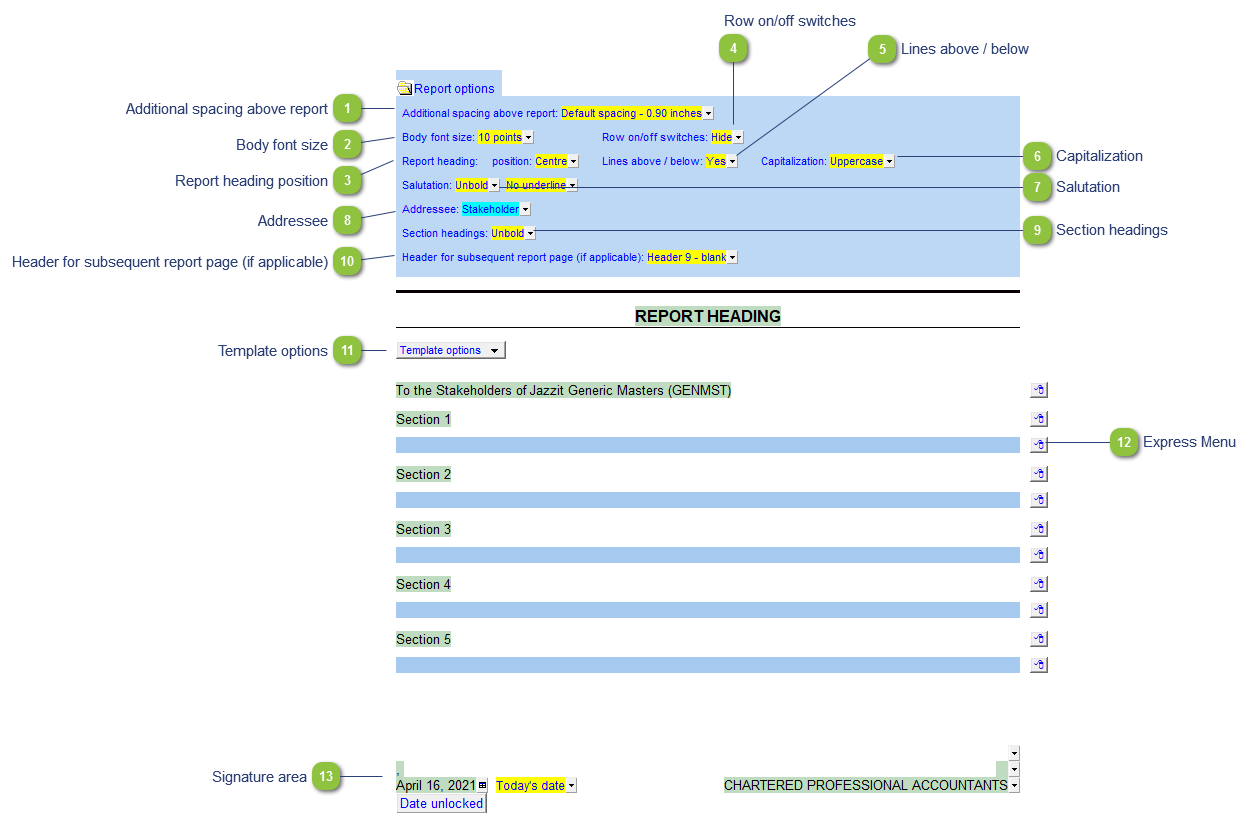
Additional spacing above report |
You can change the additional spacing for the headings to accommodate the firm's letterhead. The default can be set in the HF module in the Resource Centre. |

|
Body font size |
The font size for the Engagement Report can be uniquely set in the Report settings. This can be used as a method to make the Engagement report fit on one page. |

|
Report heading position |
Select heading position. |

|
Row on/off switches |
Toggle on/off the paragraph switches next to each report paragraph. |

|
Lines above / below |
Toggles lines above/below the report headings on/off. |

|
Capitalization |
Toggle capitalization of the report headin. |

|
Salutation |
Modify formatting of the salutation (unbold, bold and italics) |

|
Addressee |
Modify the addressee text. You can use the popup to select a number of prepopulated choices or type in a custom addressee. |

|
Section headings |
Modify formatting for the section headings (unbold, bold and italics). |

|
Header for subsequent report page (if applicable) |
Select what header you want to add to the subsequent pages of the report. The default header 9 is blank and can be customized in the HF modules of the Resource Centre. |

|
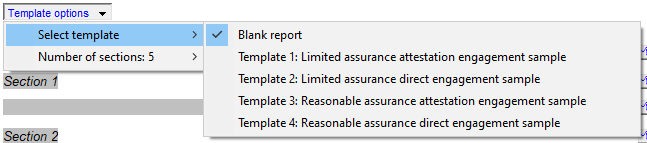
Template options |
Select from a number of premade report templates and the number of sections available in the report.
|

|
Express Menu |
Refer to Express menu options for more details on using the express menu. Additional options include the ability to update individual paragraphs, inserting page breaks and toggling the on/off switch for paragraphs. |

|
Signature area |
The defaults for the signature block are set in the HF module in the Resource Centre by the Jazzit Administrator. Use the popup menu's to select alternative content if desired. If the information is different for a specific client, you can override the defaults by typing in the alternative content into the green input cells. Changes will be flagged with a red override indicator. |