Management Letter Highlights
| Number | Name | Description |
|---|---|---|

|
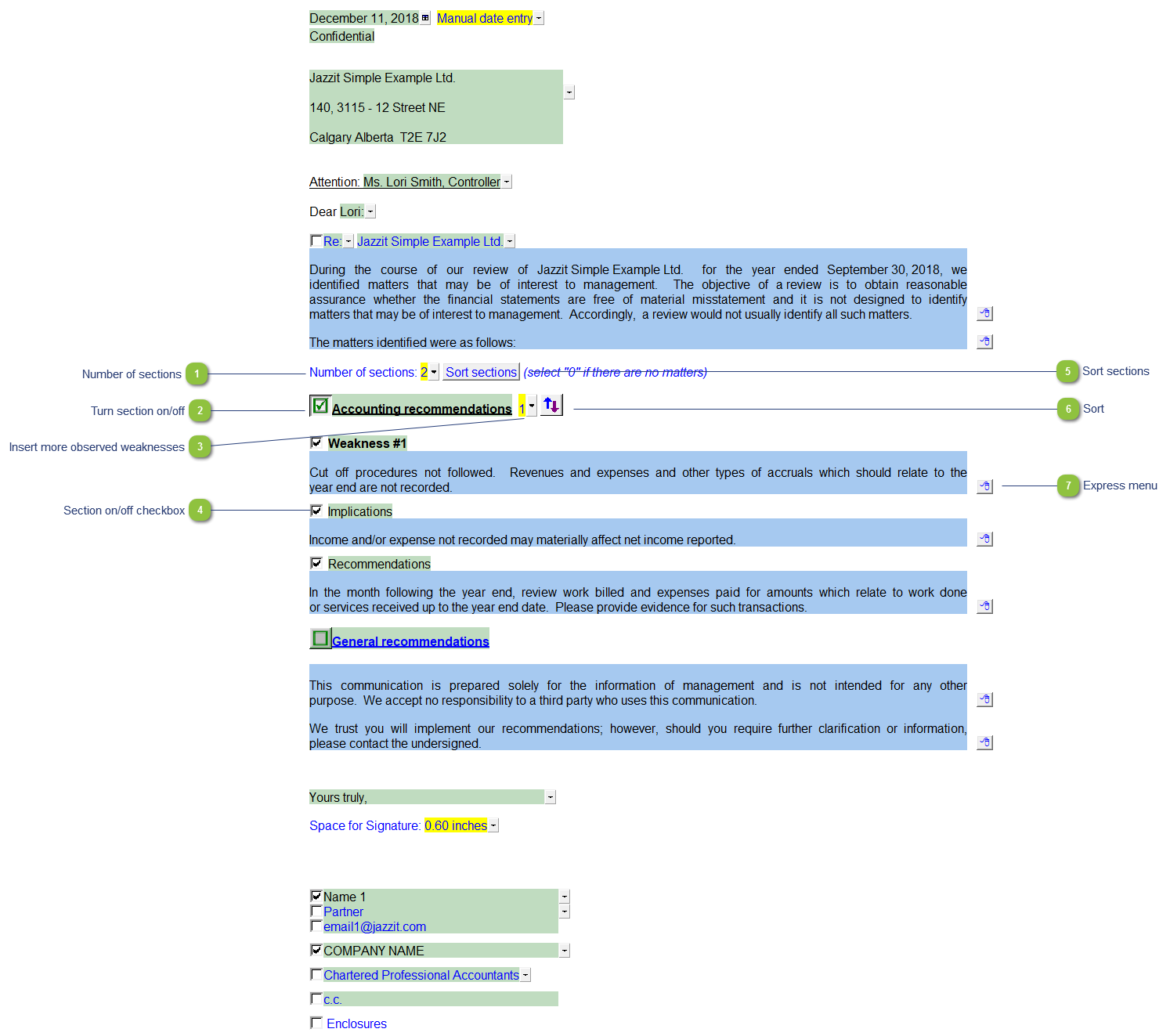
Number of sections |
Use the popup menu to select the number of headings you need. You can select up to 15 headings. |

|
Turn section on/off |
Click on the green checkbox to turn a section on or off.
|

|
Insert more observed weaknesses |
Use the popup menu to insert up to 5 observed weaknesses within the headings. |

|
Section on/off checkbox |
Check or uncheck the check box to turn a section on or off. The section will be set to skip and will not print. |

|
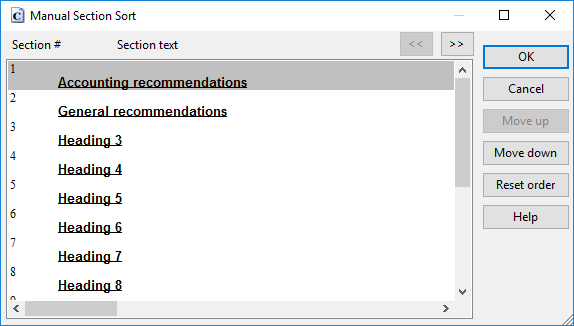
Sort sections |
Click on the sort sections button to sort the headings in the preferred order.
|

|
Sort |
Use the sort button to sort the sections within each heading. |

|
Express menu |
Right-click on the express menu to view the available paragraph and section options. Use the express menu to insert new paragraphs, sort the paragraphs within a section, insert page breaks and delete existing paragraphs. |