Checklist with Y/N & checkmark (JZPCA)
See Common Working Paper Features for information on features not specific to this working paper.
| Number | Name | Description |
|---|---|---|

|
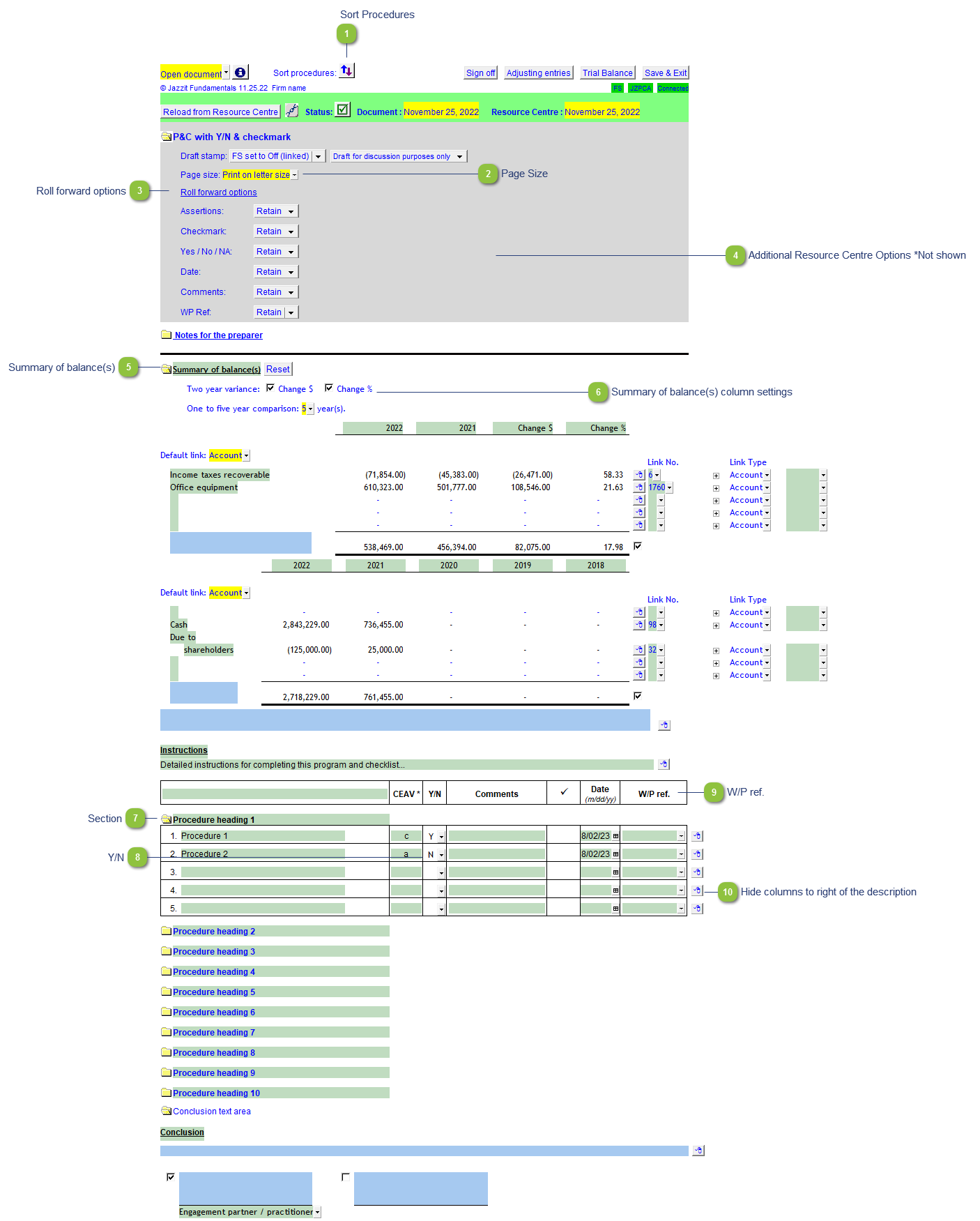
Sort Procedures |
Sort the procedure sections. There can be up to 30 sections. |

|
Page Size |
Select between letter or legal size paper. |

|
Roll forward options |
Set whether a column retains or clears its data on CaseView rollforward. |

|
Additional Resource Centre Options *Not shown |
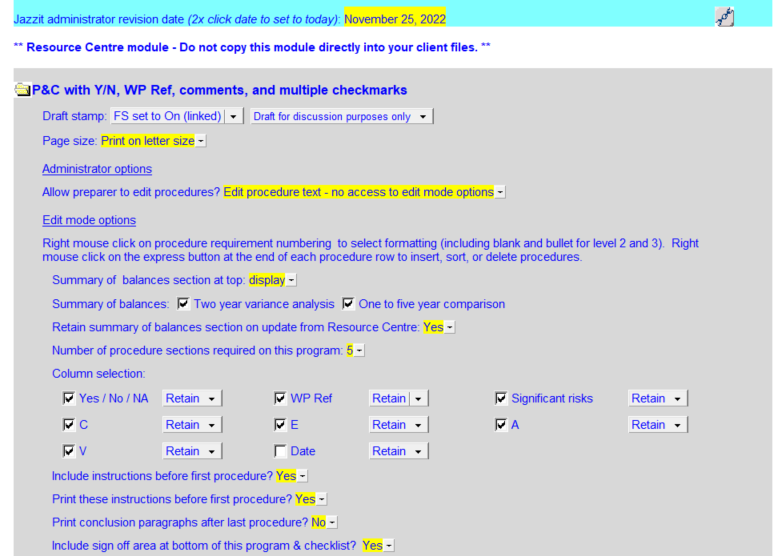
The Resource centre module version of the working paper has additional options.
|

|
Summary of balance(s) |
The summary of balances(s) is off by default. It needs to be activated in the Resource Centre options area. (See above) |

|
Summary of balance(s) column settings |
Toggle Change $ and Change % on/off on the two year variance table. Set the 5 year comparison to between 1-5 year columns. |

|
Section |
Click on the folder to turn a section on/off. |

|
Y/N |
Double-click to toggle between Y,N, and N/A. |

|
W/P ref. |
Click on the dropdown to select on documents available in the Caseware document manager. Double-click on the cell to open the document shown in the cell. |

|
Hide columns to right of the description |
Right-click on the express menu to access this option. This option hides all the columns to the right of the description column. This is useful for creating heading lines.
|