Engagement queries (JZQS)
See Common Working Paper Features for information on features not specific to this working paper.
| Number | Name | Description |
|---|---|---|

|
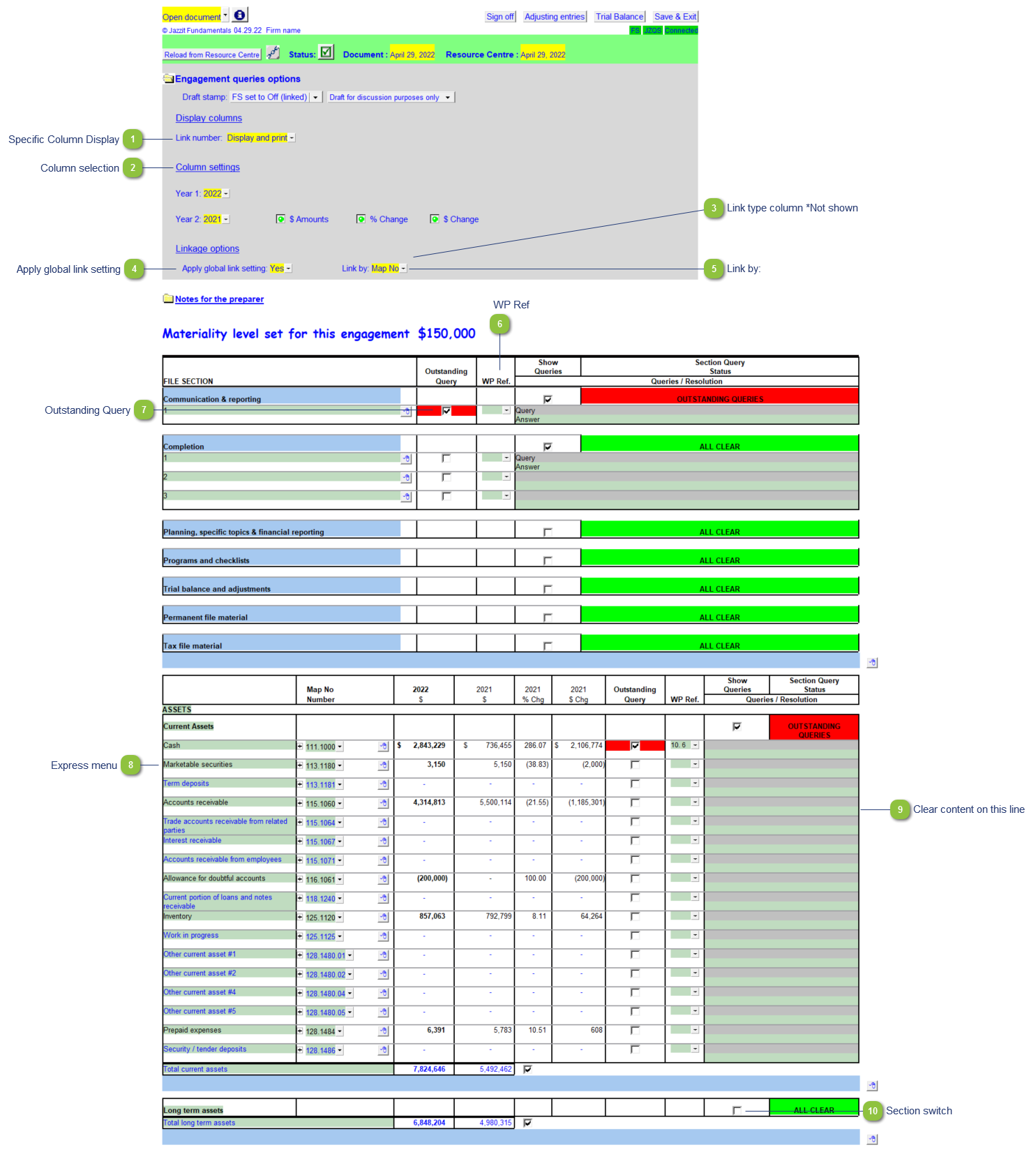
Specific Column Display |
Set the Link number column to Display, Display + Print or Hide. |

|
Column selection |
Click on the buttons to toggle columns on and off. Year 1 and 2 can be changed to display the current year or any of the previous 4 years via the dropdown menus. |

|
Link type column *Not shown |
Set the Link type column to Display + Print or Display only. This option only shows |

|
Apply global link setting |
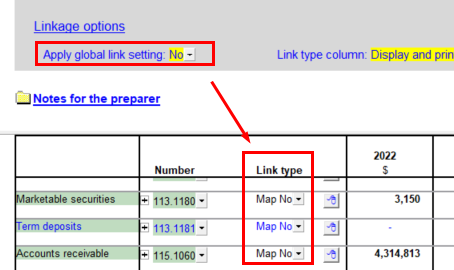
Set to 'No' to reveal a column that allows you to select the link for each individual line.
|

|
Link by: |
Set the default link type for all lines. Map No. is the default setting. Account numbers and Caseware Group numbers are the alternatives. |

|
WP Ref |
Enter the working paper reference if applicable. Double-click on the reference to jump to the referenced working paper. The working paper should exists within the Document Manager for this to work. |

|
Outstanding Query |
Check off to indicate outstanding queries for the section. The section will be highlighted in red. |

|
Express menu |
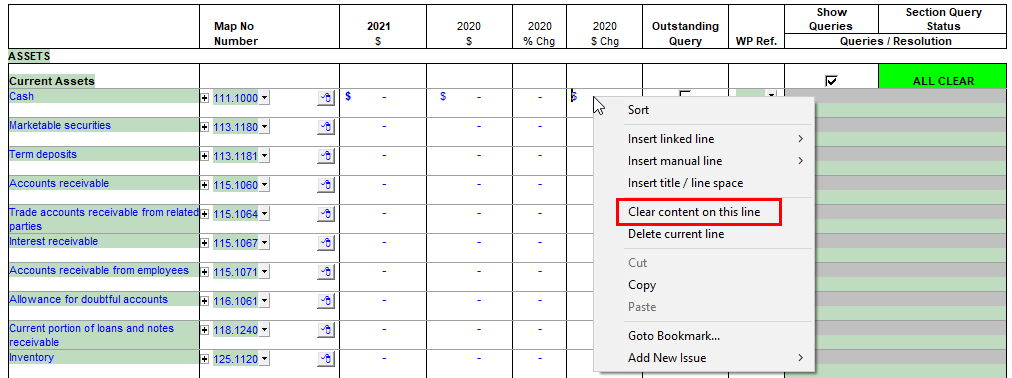
Right-click on the line here to access the express menu. The JZQS also has a unique option to Clear all content on this line.
|

|
Clear content on this line |
Double-click on a line to clear content on the line. |

|
Section switch |
Uncheck the section switch to close the close/hide the section. |