Current and Prior Year
The total balances for the current and prior year in the Statement of Partner's Capital is transferred as a single line item on the Balance Sheet. The following features are available:
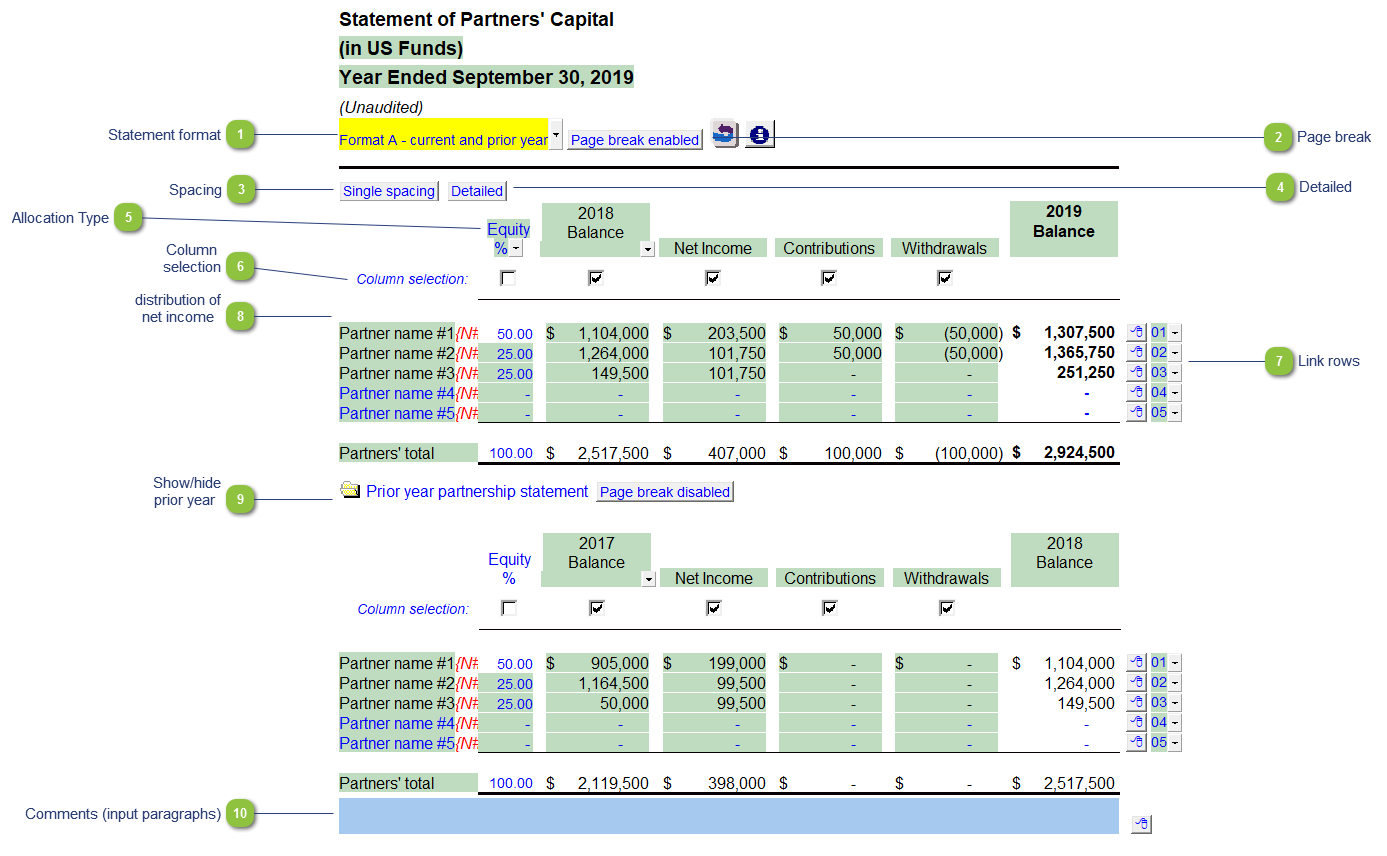
| Number | Name | Description |
|---|---|---|

|
Statement format |
Click on the button or use the popup menu to select the desired statement format. |

|
Page break |
Toggle to enable or disable page break above the table. |

|
Spacing |
Click on the button to switch between double and single spacing. |

|
Detailed |
Click to show the partner's capital details or a summary (partner's total). |

|
Allocation Type |
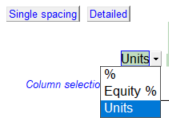
Click on the popup menu for alternative methods of allocation for the Net Income.
|

|
Column selection |
Use the checkboxes to check off which columns to show. The column heading description can be overwritten typing in the desired text into the input cells. |

|
Link rows |
Add more lines to show as many partners as you desire using the express menu (
|

|
Distribution of net income |
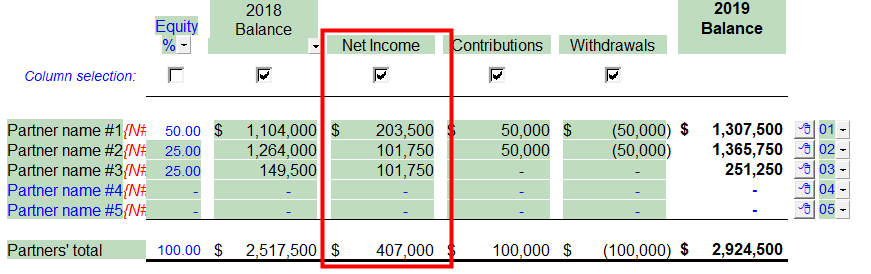
Use the % column to distribute the net income. The total net income is shown next to the first partner name on the list. The amount is adjusted according to the percentage entered and will be distributed accordingly. Alternatively, you can allocate via Net Income % or Unit number via the popup above the allocation column.
Right-click on the express menu (
|

|
Show/hide prior year |
Click on the folder icon to show or hide the prior year information. |

|
Comments (input paragraphs) |
You can edit existing input paragraphs or insert more paragraphs using the express menu. Refer to Input Paragraphs for more information on inserting paragraphs. |
 ). If there are more partners than what is available in the mapping you can either: