Engagement scoping - Group Audit (590.600)
| Number | Name | Description |
|---|---|---|

|
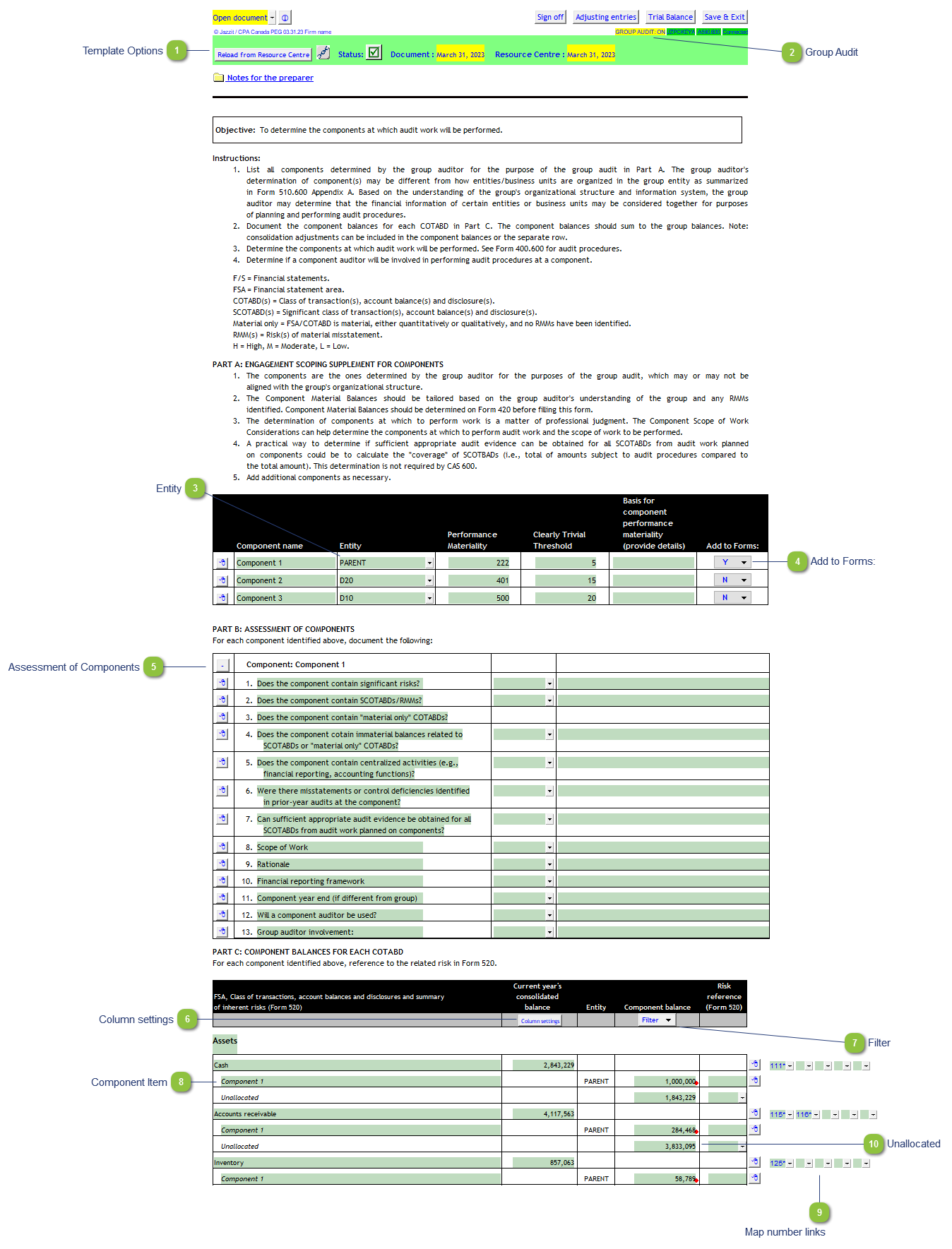
Template Options |
Please see Template Options for more details. |

|
Group Audit |
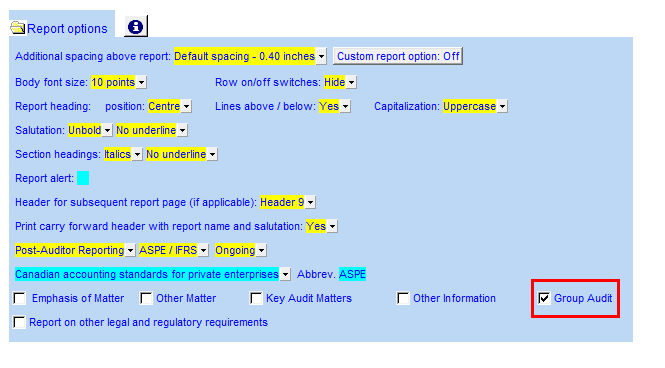
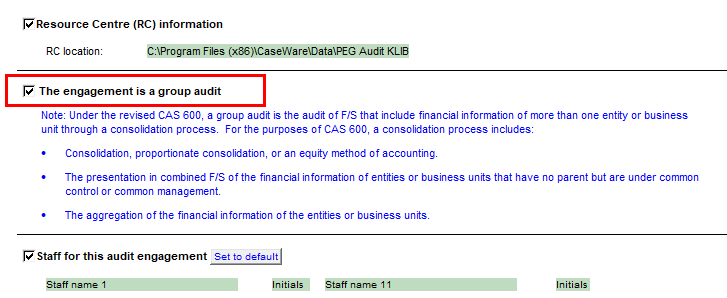
Double-click on the cell to access the Engagement report options in the Jazzit Financial Statements. There you can enable the Group Audit option.
If the Jazzit Financial Statements is not present in the file. The Group audit is set in the Document Control.
|

|
Entity |
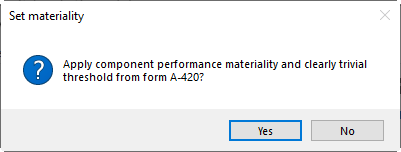
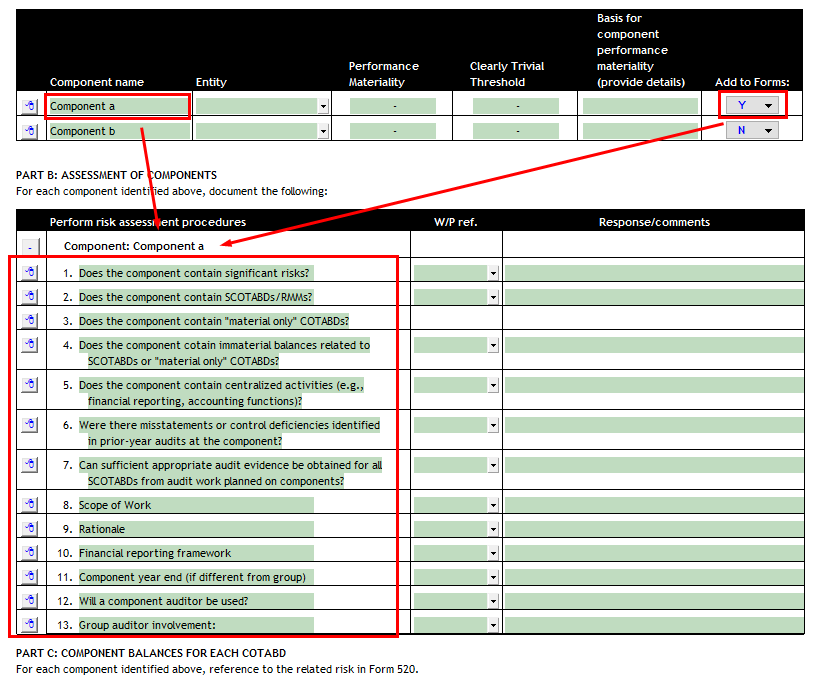
Select the entity for each component being examined. You will also be presented with a prompt to fill out Performance materiality and Clearly Trivial Threshold with information from the Materiality checklist (420). See Setting up entities in Caseware for information on setting up entities.
|

|
Add to Forms: |
Switch the dropdown to 'Y' to enable a corresponding form for the Component under Part B.
|

|
Assessment of Components |
Set the 'Add to Form' setting to 'Y' to activate a Assessment of component section for the component above. |

|
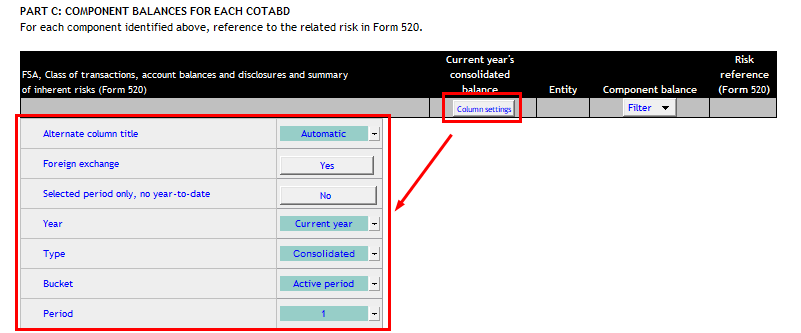
Column settings |
Click here to reveal column settings. The options are similar to the options found in the Jazzit Financial Statements 9 column statement options.
|

|
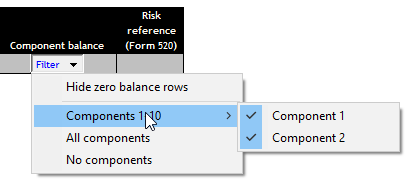
Filter |
A variety of filtering options are available to increase the readability of Part C. Zero balances can be set to hide automatically. Individual components and be hidden and unhidden. All components can be hidden leaving only category totals visible.
|

|
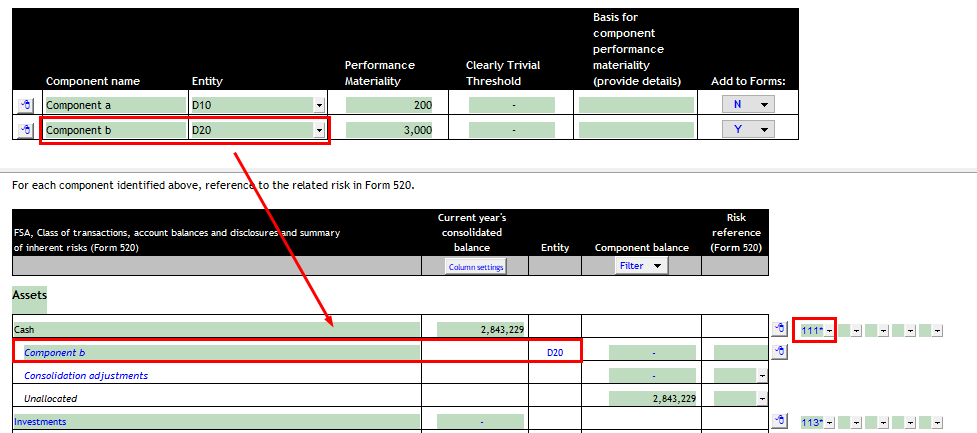
Component Item |
Links from part A when 'Add to Forms:' set to 'Y'. Links to Caseware trial balance using the corresponding map number to the left and the entity. Can be overridden if required.
|

|
Map number links |
Link additional map numbers to a group in addition to the default map. |

|
Unallocated |
Consolidated balance - Component balances = Unallocated balance. |