Worksheet - Analytical review (3-95)
See Common Checklist Features for information on common checklist features.
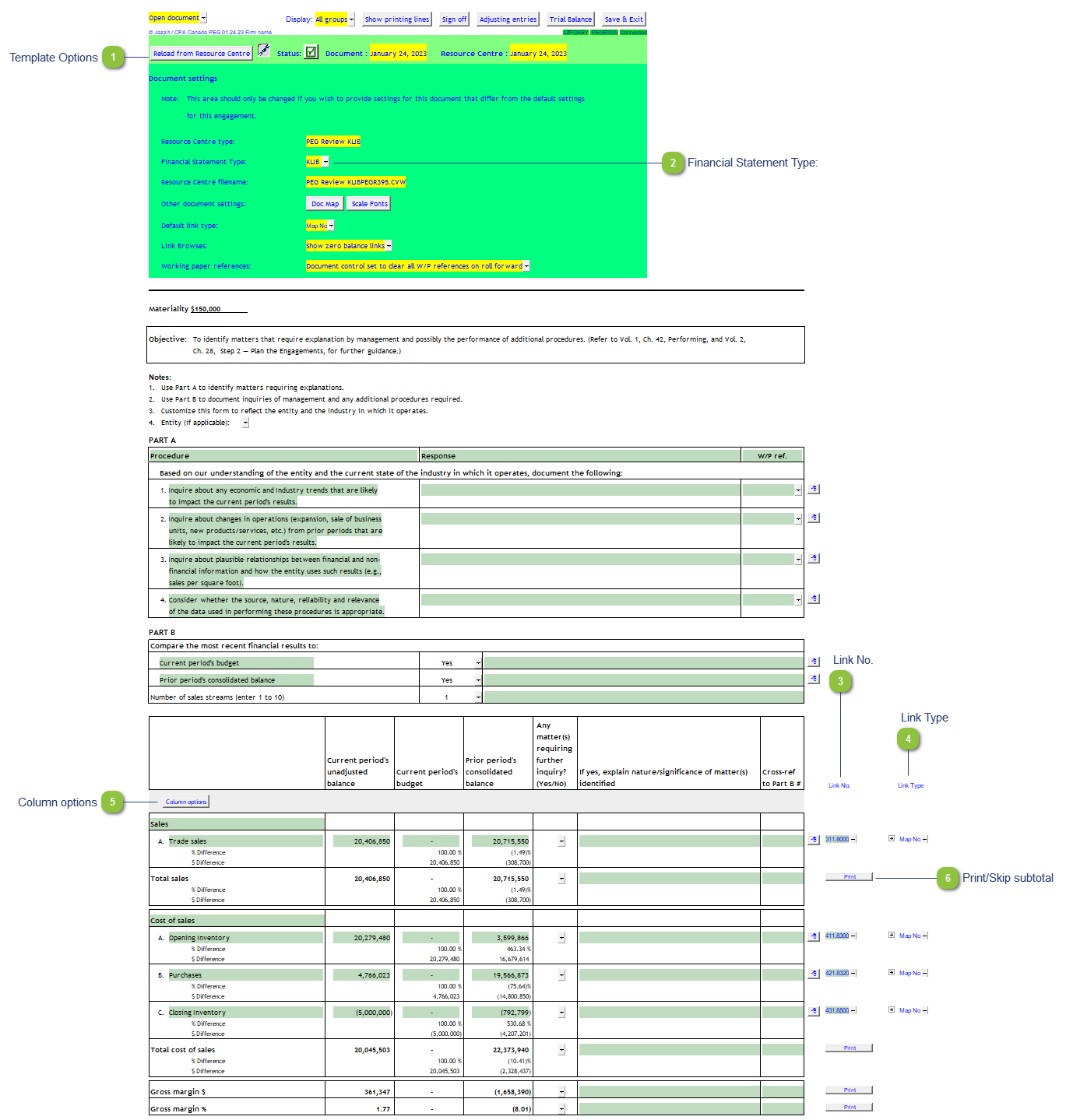
| Number | Name | Description |
|---|---|---|

|
Template Options |
Please see template options for more details. |

|
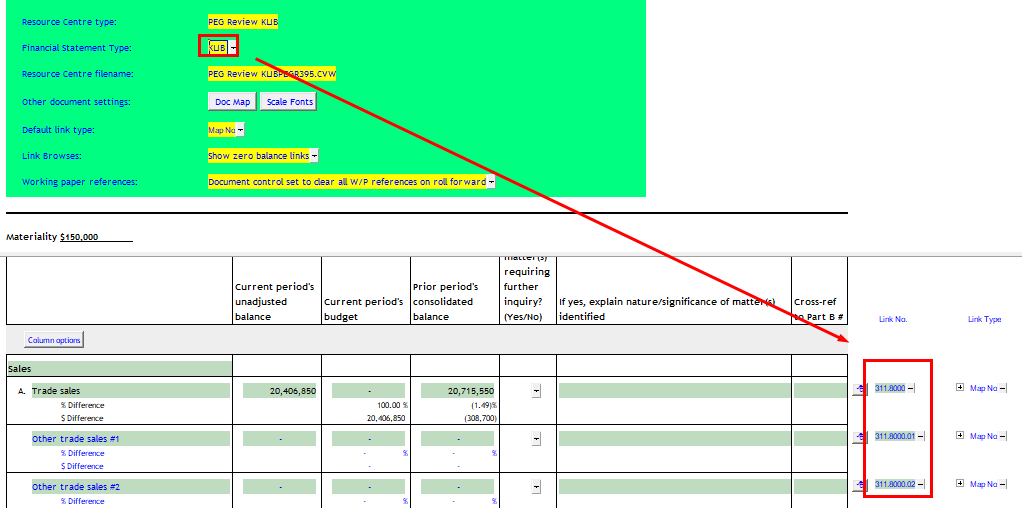
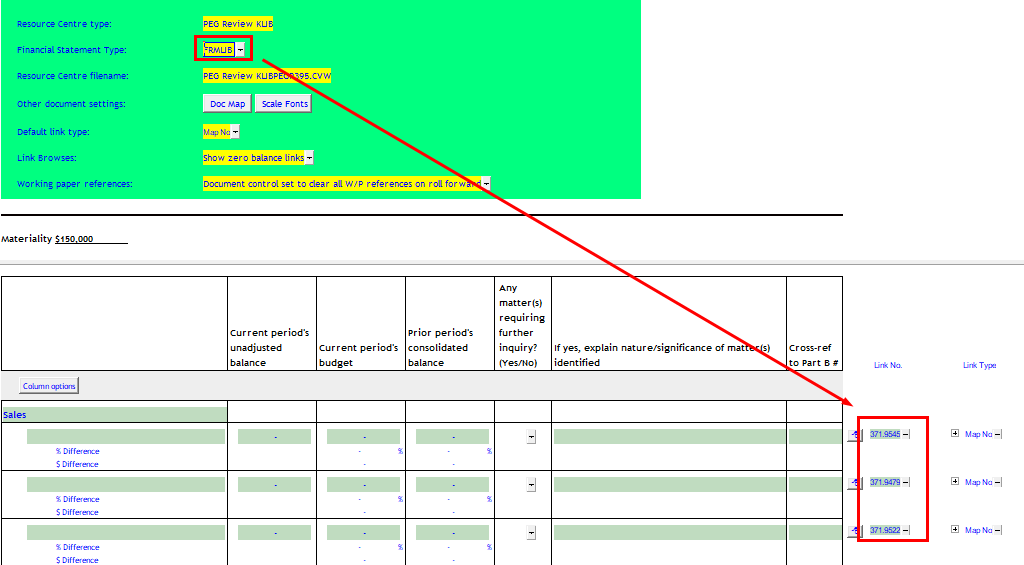
Financial Statement Type: |
This selection determines some of the default map numbers on the Link No. column. below. KLIB selected
FRMLIB selected
|

|
Link No. |
The link number indicates which linked number (i.e. map number) the row is linked to. Use the popup menu to select a link number. This can be a map, account or group number depending on the link type selected. Refer to Balance Origins for more information. |

|
Link Type |
The link type is set from the default link type selected. You can change the link type for the individual row item if different from the default link type. |

|
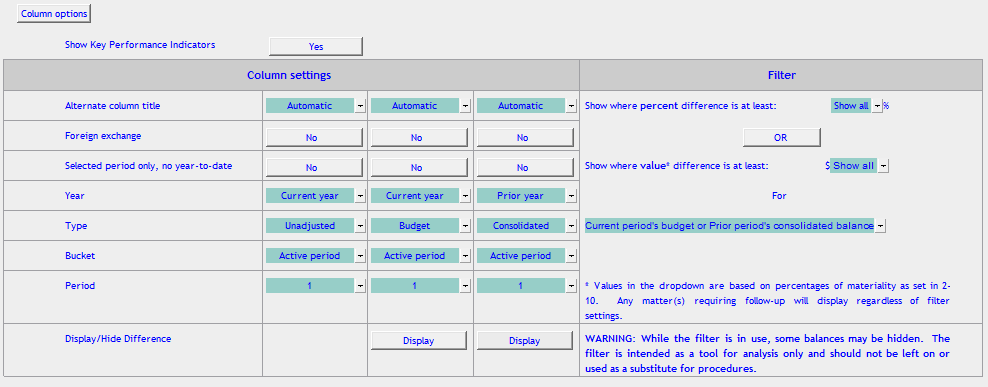
Column options |
Click on column options to reveal column options. The settings here are similar to the 9 column settings. Additionally Filter settings based on percent and currency differences between the first column and the second/third columns. Only certain lines above a certain difference threshold (% or currency) will display.
|

|
Print/Skip subtotal |
Click on Print/Skip button to skip/print the section subtotal. |