Assets under capital leases policy
| Number | Name | Description |
|---|---|---|

|
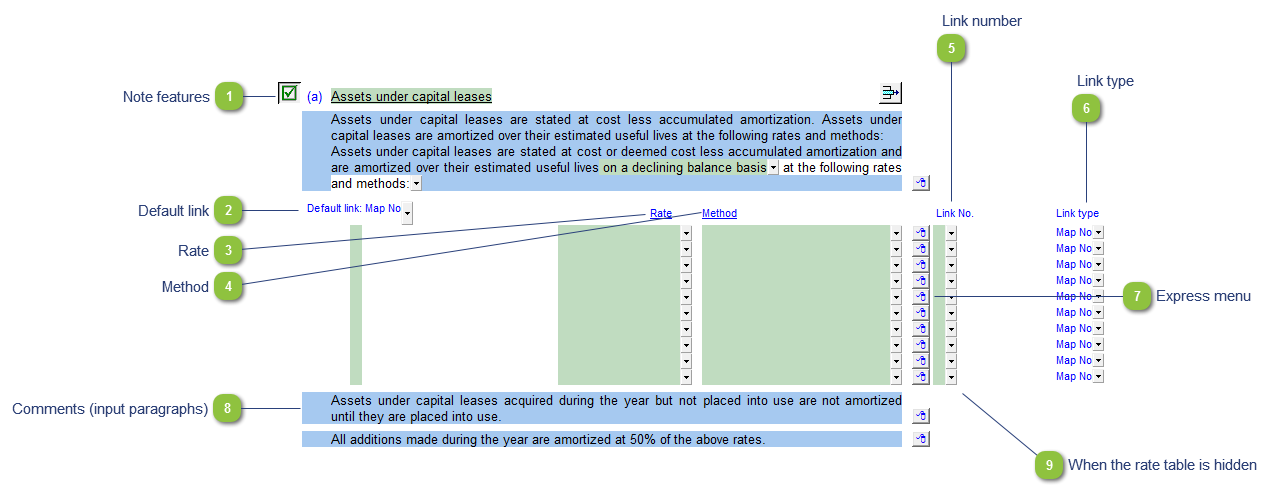
Note features |
Each note has a series of common features. Refer to Common Note Features for more information on each feature. |

|
Default link |
Select the default grouping you want to use for the note linkage. The note is defaulted to use the Map No link. |

|
Rate |
Use the popup menu to select the relevant rate. Manually enter the rate in the input cell if the desired rate is not available from the list. |

|
Method |
Use the popup menu to select the relevant method. Manually enter the method in the input cell if the desired option is not available from the list. |

|
Link number |
Use the popup menu to select a link number. This can be a map, account or group number depending on the link type selected. This selection will populate the link number description for that row. |

|
Link type |
The link type is set from the default link type selected. You can change the link type for the individual row item if different from the default link type. |

|
Express menu |
Right-click on the Express menu to insert more linked or manual lines, insert subtotals, sort and delete current lines where the options are available. |

|
Comments (input paragraphs) |
You can edit existing input paragraphs or insert more paragraphs using the express menu ( |

|
When the rate table is hidden |
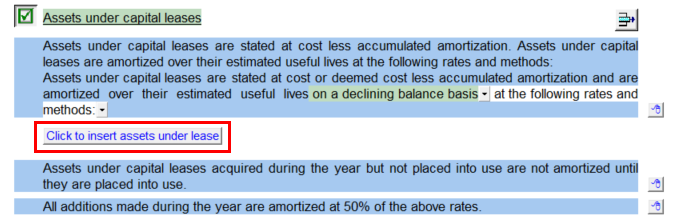
When your Financial statements is set to show printing lines only in Home menu > Display the rate table in this policy will hide. A button will appear in it's place that will set the financial statements to show all lines and thus reveal the table.
|
 ). Refer to